APPLICATION NOTE
Fluke Networks Versiv™ Training Resources
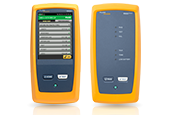
DSX CableAnalyzer™
DSX CableAnalyzer™ Accelerates every step of the copper certification process
| Topic | Description | Link |
|---|---|---|
| Setting up for a Category 5e Permanent Link test | Shows how to change the test limit on a DSX CableAnalyzer to a Category 5e Permanent Link (video) | Click Here |
| Setting a reference | Shows how to set a reference on a DSX CableAnalyzer (video) | Click Here |
| Setting up for a two pair Category 5e Permanent Link | Shows how to configure your DSX CableAnalyzer for a two pair Category 5e Permanent Link test (video) | Click Here |
| Shield Integrity Test | Shows how your current field tester may be reporting a false PASS when testing the shield continuity (video) | Click Here |
| Worst case margin vs. Worst case value | Explains how your test report contains two margins (video) | Click Here |
| Modular Plug Terminated Link (MPTL) | Discusses how you test a link that consists of a patch panel at one end and an RJ45 plug at the other; a common occurrence in the implementation of CCTV and wireless access points (video) | Click Here |
| NVP – Nominal Velocity of Propagation | Explains what NVP is, how it’s calculated and your options for setting it in the DSX-5000 CableAnalyzer (video) | Click Here |
| NEXT failed due to a poor termination | Your DSX CableAnalyzer can diagnose a failing NEXT result caused by a poor termination (video) | Click Here |
| NEXT fails on a short link | Your DSX CableAnalyzer can diagnose a failing NEXT result. Even on a short link (video) | Click Here |
| Return Loss fails due to cable (example #1) | Your DSX CableAnalyzer can diagnose a failing Return Loss result (video) | Click Here |
| Return Loss fails due to cable (example #2) | Your DSX CableAnalyzer can diagnose a failing Return Loss result (video) | Click Here |
| Return Loss fails due to water in the cable | Your DSX CableAnalyzer can diagnose a failing Return Loss result caused by water in the cable (video) | Click Here |
| NEXT fails or marginally passes due to cable | Your DSX CableAnalyzer can diagnose a failing NEXT Loss result caused by the cable (video) | Click Here |
| Lubricant caused Insertion Loss to fail | Lubricant used to pull cable through conduit can cause an Insertion Loss issue (video) | Click Here |
| Poor balance resulted in a 1000BASE-T switch operating at 100BASE-TX | If your link certifies with good margin but the owner is still complaining about performance, you may wish to consider a TCL (Transverse Conversion Loss) measurement. The DSX CableAnalyzer is the only tester capable of this measurement in the field (video) | Click Here |
| The 3 dB Rule | Almost all Return Loss measurements in the DSX CableAnalyzer are subject to the 3 dB rule (video) | Click Here |
| The 4 dB Rule | Most ISO/IEC and EN NEXT measurements are subject to the 4 dB rule (video) | Click Here |
| The 10% rule for length | ANSI/TIA-1152 permits the length measurement to be exceeded by 10% (video) | Click Here |
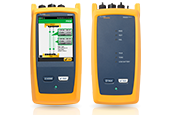
CertiFiber® Pro Optical Loss Test Set
CertiFiber® Pro Optical Loss Test Set
| Topic | Description | Link |
|---|---|---|
| Getting Started with the CertiFiber Pro | Unboxing (video) Tester Setup – Part 1 (video) Tester Setup – Part 2 (video) Running a Test (video) Creating a Report (video) | Click Here Click Here Click Here Click Here Click Here |
| Automatic fiber inspection | How to turn on automated fiber inspection for the Versiv platform (video) | Click Here |
| Custom Fixed Loss Limit | How to create a custom fixed loss limit in the CertiFiber Pro (video) | Click Here |
| Custom connector/splice/fiber Loss Limits | How to create a custom connector, splice and/or fiber loss limit in the CertiFiber Pro (video) | Click Here |
| Single Fiber Testing with CertiFiber Pro | How to test a single fiber with the CertiFiber Pro (video) | Click Here |
| Fiber Application Standards | Application/Standards Articles (Fiber) (Knowledge Base Article) | Click Here |
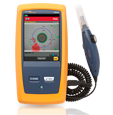
FI-7000 FiberInspector Pro
FI-7000 FiberInspector™ Pro 1-second automated PASS/FAIL certication of fiber optic connector end-faces
| Topic | Description | Link |
|---|---|---|
| Getting Started with the FI-7000 FiberInspector Pro | FI-7000 FiberInspector Pro (video) | Click Here |
| Automated Fiber Inspection | How to turn on automated fiber inspection for the Versiv platform (video) | Click Here |
| Cross Contamination | How one dirty fiber connector can contaminate an entire installation (video) | Click Here |
OptiFiber Pro
OptiFiber® Pro OTDR Built for the Enterprise
| Topic | Description | Link |
|---|---|---|
| Getting Started with the OptiFiber PRO | Unboxing (video) Tester Setup (video) Running a Test – Part 1 (video) Running a Test – Part 2 (video) Creating a Report (video) | Click Here Click Here Click Here Click Here Click Here |
| Clearing the memory and all settings in your OptiFiber Pro | How to permanently wipe the internal memory of the OptiFiber Pro (video) | Click Here |
| Test limits | The importance of selecting the appropriate test limit (video) | Click Here |
| Launch Only Compensation | How to remove the length of your launch fiber from the OTDR measurement … plus the limitations of not using a tail (receive) fiber (video) | Click Here |
| Launch Plus Tail Compensation | How to remove the length of your launch and tail fiber from the OTDR measurement … plus the benefits of using a tail (receive) fiber. (video) | Click Here |
| Auto vs Manual OTDR | The difference in using AUTO vs MANUAL Mode in the OptiFiber Pro (video) | Click Here |
| Project Management | How the project feature in the OptiFiber Pro can be used to avoid errors when OTDR testing (video) | Click Here |
| Event Map | How the Event Map feature automatically maps a fiber link (video) | Click Here |
| Cross Contamination | How one dirty fiber connector can contaminate an entire installation (video) | Click Here |
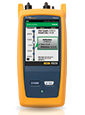
Versiv Knowledge Base
| Topic | Description | Link |
|---|---|---|
| DSX-5000 Cable Analyzer | Knowledgebase Articles – DSX-5000 Cable Analyzer (Knowledge Base Article) | Click Here |
| CertiFiber PRO OLTS | Knowledgebase Articles – CertiFiber PRO (Knowledge Base Article) | Click Here |
| OptiFiber PRO OTDR | Knowledgebase Articles – OptiFiber PRO (Knowledge Base Article) | Click Here |
| FI-7000 Fiber Inspector PRO | Knowledgebase Articles – FI-7000 Fiber Inspector PRO (Knowledge Base Article) | Click Here |
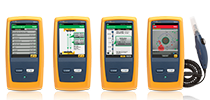
Versiv Technical Reference Handbook
Versiv™ Cabling Certification Product Family
| Topic | Description | Link |
|---|---|---|
| Versiv Technical Reference Manual | Technical Reference Handbook for DSX5000, CertiFiber PRO and OptiFiber PRO (Manual) | Click Here |
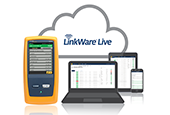
LinkWare Live
LinkWare™ Live Certification Management
| Topic | Description | Link |
|---|---|---|
| Getting Started with LinkWare Live | LinkWare™ Live – How to Get an Account (video) | Click Here |
| Adding users to your account | LinkWare™ Live – Add Users to Your LinkWare Live Account (video) | Click Here |
| User Privileges | LinkWare™ Live – User privileges (video) | Click Here |
| Connect Versiv to the Internet | LinkWare™ Live – Connecting Versiv to the internet (video) | Click Here |
| Upload Test Results to LinkWare Live | LinkWare™ Live – Uploading projects (video) | Click Here |
| Set Up a Project | LinkWare™ Live – Setting up a project (video) | Click Here |
| Download Projects to a Versiv Cable Tester | LinkWare™ Live – Downloading projects to Versiv (video) | Click Here |
| Import Test Results to LinkWare PC | LinkWare™ Live – Importing results to PC (video) | Click Here |
| Reconciliation | LinkWare™ Live – Using reconciliation to verify test settings (video) | Click Here |