
When using a CableIQ Qualification Tester to qualify cabling around an office or residential installation, you may come across a cable that is connected to a DC voltage source. Voltage on a cable can come from many sources:
- Telephone Service
- A Power-over-Ethernet (PoE) power supplying device
- ISDN Service
- Non-standard wiring
If CableIQ detects voltage, it reports a voltage hazard because valid measurements cannot be made in this state and voltages above standard Ethernet levels might damage the tester. CableIQ presents voltage hazards in the following ways:
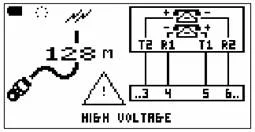
Telephone Service Voltages If CableIQ detects voltages consistent with telephone service, it will display the following screen:
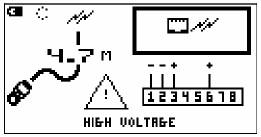
Power Over Ethernet Voltages Power over Ethernet can appear as voltage between pairs 1-2 and 3-6, or between pairs 4-5 and 7-8. CableIQ displays:
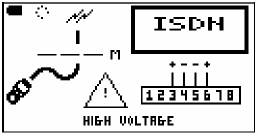
ISDN Voltages ISDN service voltages appear between pairs 3-6 and 4-5, and are displayed as:
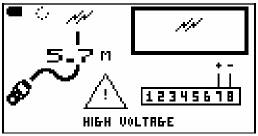
Unknown Voltages If there is voltage on a single pair, CableIQ will display:
Voltages Across Wires from Different Pairs If CableIQ detects voltage across single conductors on different pairs, this indicates a non-standard configuration that may be a serious fault. CableIQ displays:
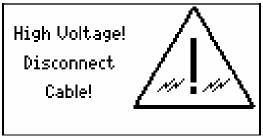
As a precaution, voltage hazards will always interrupt the current mode of operation. This helps protect the CableIQ and the person testing.