
You can learn more about NVP in this video.
There are a number of ways to set the Cable NVP:
- Enter the number manually (Recommended method using vendor datasheet)
- Select the Cable Manufacturer
- Use a known length of cable to set the NVP
To determine the cable NVP you must first have at least 30 m/100 ft of cable. This cable should then be physically measured to determine the actual length of the cable. The longer the cable you use, the more accurate your NVP value will be.
- In your TEST SETUP, tap NVP to see:
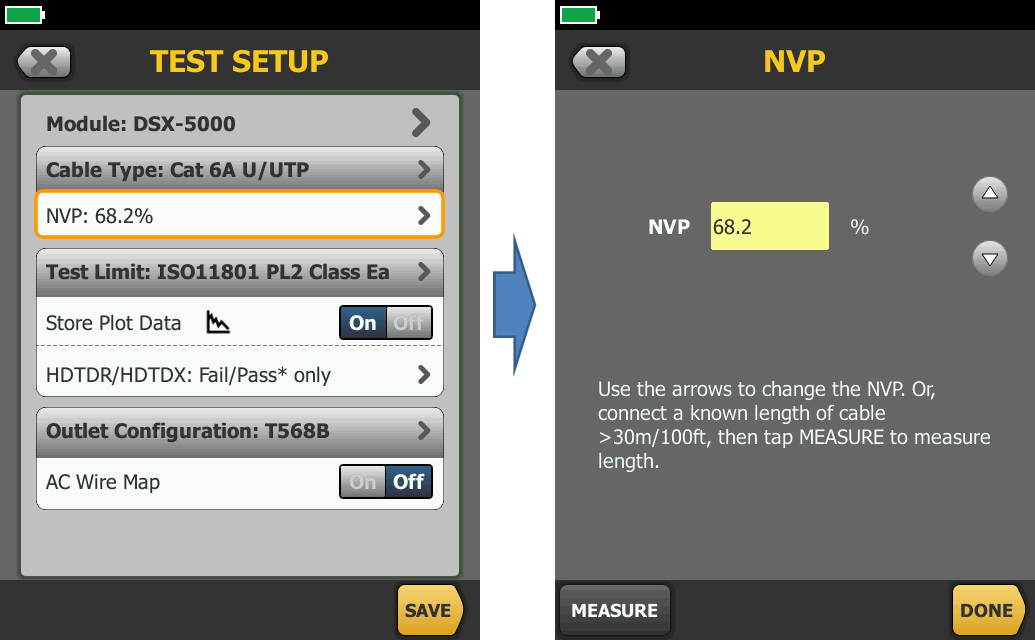
- Tap MEASURE.
- Now adjust the length reported so that is equals the measured length:
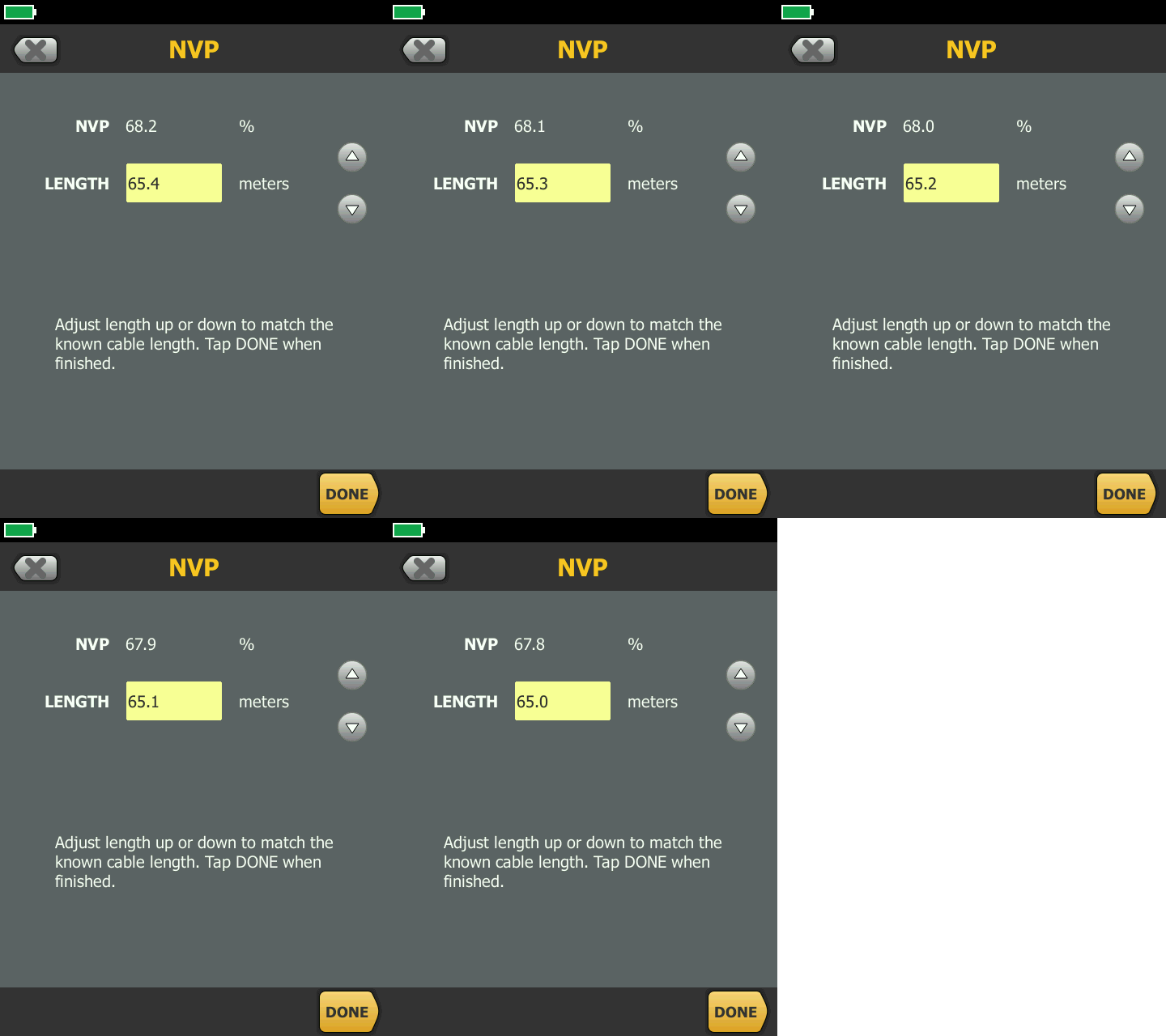
- Tap DONE.