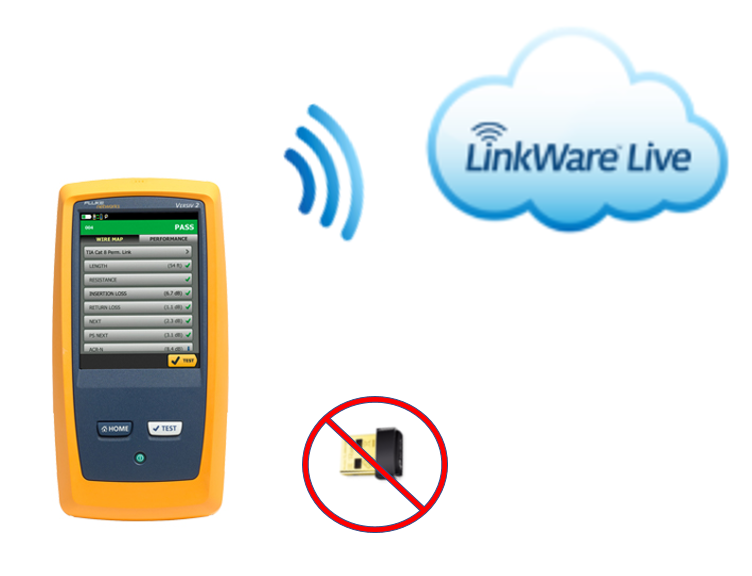
The Versiv2 mainframe is now has built-in enabled Wi-Fi capabilities, removing the need for the VERSIV-ADP-WIFI USB Wi-Fi dongle which was needed for the original Versiv mainframe.
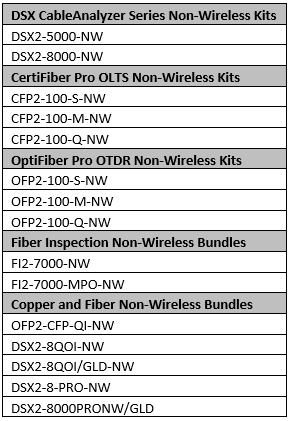
 Some users may need to use their Versiv2 in environments that do not allow Wi-Fi access or wireless enabled devices on the premises. Because of this, Fluke Networks has created Non-wireless bundles for our product offering (see the full table of Non-wireless bundles at the end of this article). If you are unsure if your Versiv2 has Wi-Fi capabilities enabled, you can simply check the network settings.
From the Versiv 2 home screen, go to TOOLS > NETWORK.
Versiv2 Units with built-in Wi-FI enabled will show the following screen if not connected to a wired or wireless network:
Some users may need to use their Versiv2 in environments that do not allow Wi-Fi access or wireless enabled devices on the premises. Because of this, Fluke Networks has created Non-wireless bundles for our product offering (see the full table of Non-wireless bundles at the end of this article). If you are unsure if your Versiv2 has Wi-Fi capabilities enabled, you can simply check the network settings.
From the Versiv 2 home screen, go to TOOLS > NETWORK.
Versiv2 Units with built-in Wi-FI enabled will show the following screen if not connected to a wired or wireless network:
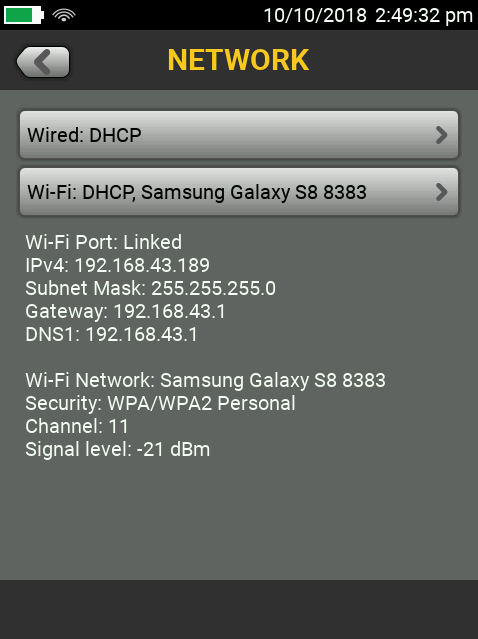
The screen will look similar to this when Versiv2 is connected to a wireless network:
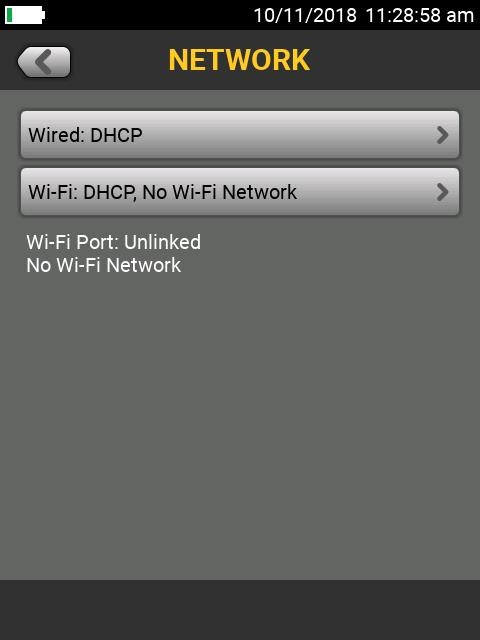
If your Versiv2 was purchased in a "NW" bundle, the TOOLS>NETWORK screen will look like this:
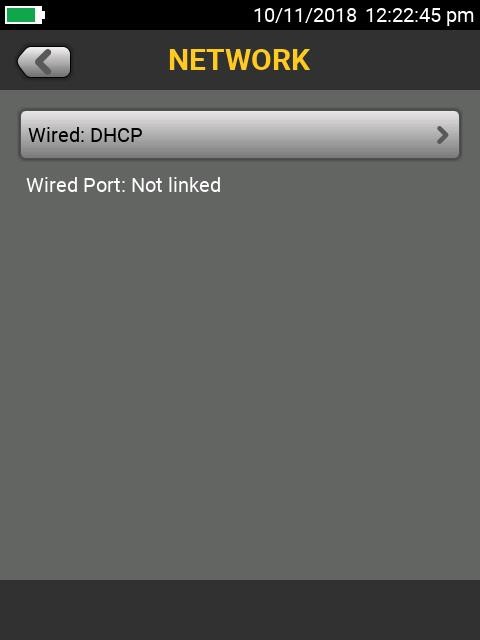
***Note that WiFi Network selection is not an option.
If you do attempt to connect the VERSIV-ADP-WIFI USB Wi-Fi dongle, it will not be recognized by Versiv2. However, the USB port on Versiv2 may still be used to transfer test results to a USB flash drive.
Below is a listing of our Non-Wireless bundles: