
Existing DSP-4000 Series Customers will be familiar with the option Self Calibration. Users confuse this with a factory calibration. They are not the same. For this reason, we have changed the nomenclature to Set Reference.
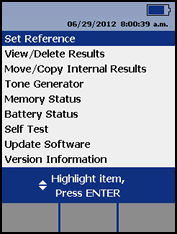
To set a reference, connect the main unit to the remote unit as shown in the help screen below.
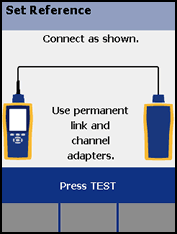
As you can see, the Permanent Link Adapter is connected to the main unit and the remote unit has a Channel Adapter connected to it.
To ensure maximum accuracy of copper cable test results, perform this reference procedure every 30 days. Most customers set the reference daily.
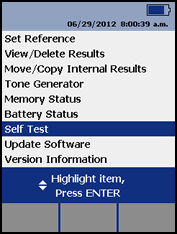
Self Test Once you have set the reference, why not run the Self Test? To do this select Self Test from the SPECIAL FUNCTIONS menu.
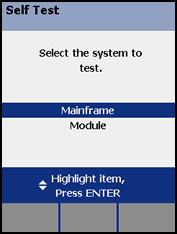
You will then see the following screen. There are two options here. The Mainframe is a copper self test whereas the Module is a fiber self test. In this example we shall select Mainframe.
The setup configuration is the same as the Set Reference. Press  and the self test will run. There are two possible outcomes:
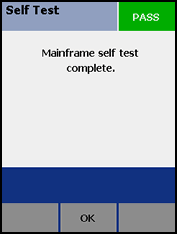
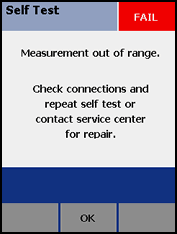
If the self test should fail, remove the test adapters and re-insert them. Then run the self test again. If the self test continues to fail, your tester may need to be returned to a Fluke Networks authorized service center.
Other things you may wish to try:
- Swap the personality module
- Swap the test lead
- Try a different channel adapter