
If your launch lead has a different backscatter coefficient than the cable you are testing, you may well end up with a suspiciously low loss value for your launch event (first connector). You may even observe a negative loss. An example of this from the DTX Compact OTDR is shown below:
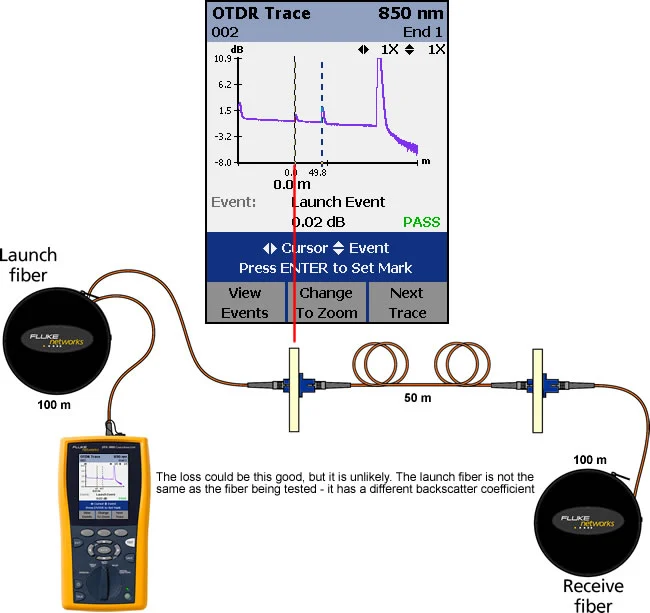
You could make a launch lead using the same fiber as you are testing. Alternatively, you could make the measurement in the opposite direction and take the average. This is defined in IEC 14763-3 and is referred to as bi-directional testing. Bi-directional testing
-
Set the launch + receive fiber compensation - click here for details.
-
Rotate the dial on the DTX CableAnalyzer to SETUP.
-
Highlight Fiber OTDR and press ENTER.
-
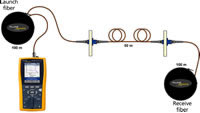
Move to Tab 2 and make sure Testing From says End 1.
-
Rotate the dial to AUTOTEST.
-
Go ahead and test the link.
-
Save it as 001 (or your own Cable ID scheme).
-
Continue to test the rest of your links whilst saving them to the DTX CableAnalyzer.
-
Rotate the dial on the DTX CableAnalyzer to SETUP.
-
Highlight Fiber OTDR and press ENTER.
-
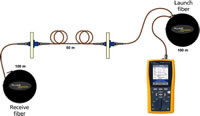
Move to Tab 2 and make sure Testing From says End 2.
-
Rotate the dial to AUTOTEST.
-
Swap ends with the DTX CableAnalyzer (leave the launch/recieve fibers in place).
-
Go ahead and test the first link again.
-
Save it as 001 (or whatever you chose previously)
-
Continue to test the rest of your links whilst saving them to the DTX Cableanalyzer.
-
The bi-directional calculation is done within the LinkWare Software. Go ahead and download your OTDR results into LinkWare.
-
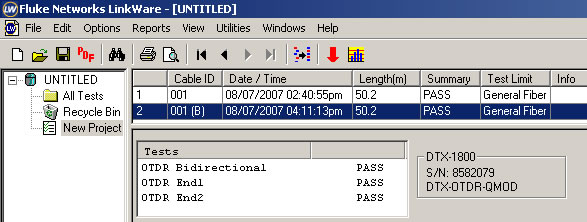
The two measurements made in different directions are recorded as one result.
-
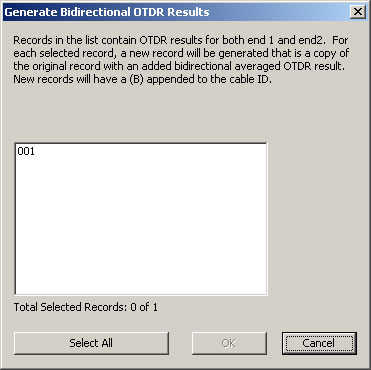
Click on Utilities > Generate Bidirectional OTDR Results; the following window will open:
-
Select the Cable IDs you wish to implement bi-directional averaging on and click OK.
-
You will now see your test result calculated using bi-directional averaging:
-
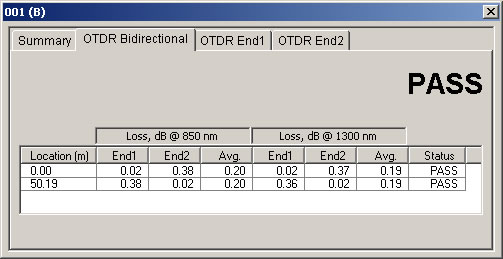
Looking at the result, we see:
-
The loss at each connector is 0.20 dB using bi-directional averaging in accordance with IEC 14763-3. Note the 0.02 dB reported when the measurement was made in one direction only.
Learn About: