
There are two causes for this message:
- Your link is shorter than the Attenuation Deadzone of the DTX Compact OTDR
- Your first connection (Launch event) has a highy reflective connector (Most common scenario)
When using the DTX Compact OTDR, you may see the following screen indicating that the overall loss could not be made.

Pressing F2 will provide you with the final test result - in this case there is no PASS or FAIL, but a WARNING.

The warning indicates that the OTDR could not make an overall loss measurement on one or both wavelengths.
At 850 nm - The OTDR was able to make a loss measurement

At 1300 nm - The OTDR was not able to make a loss measurement
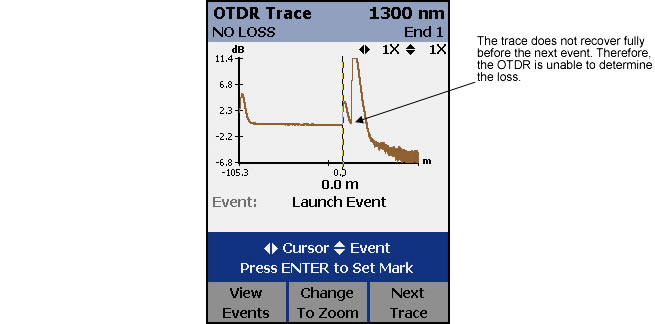
This is typically caused by a bad first connector on a shorter link (< 50 m / 328 ft). However, on this occasion there is a bad splice 10 m (32 ft) after the first connector. The DTX Compact OTDR is unable to see that poor splice. (This trace was taken using the Fluke Networks Fiber Demo Box link 3-4 shown below)
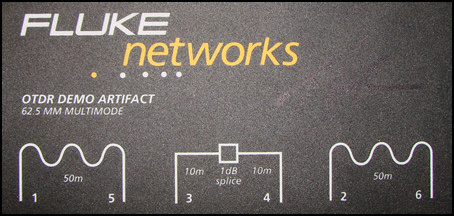
OTDR Demo Box your sales representative is most likely using
Looking at the same link using Fluke Networks’ OptiFiber, we are able to see that bad splice.

The OptiFiber deadzone is better than the deadzone of the DTX Compact OTDR. The DTX Compact OTDR still detected that something was wrong with this link, but it was unable to be as specific as the OptiFiber.
Learn About:- OTDR