
You can invite External Users only to SubProjects. You do this by making them a Team Member on the SubProject.
From within the SubProject, go to TEAM MEMBERS and click ADD TO TEAM.

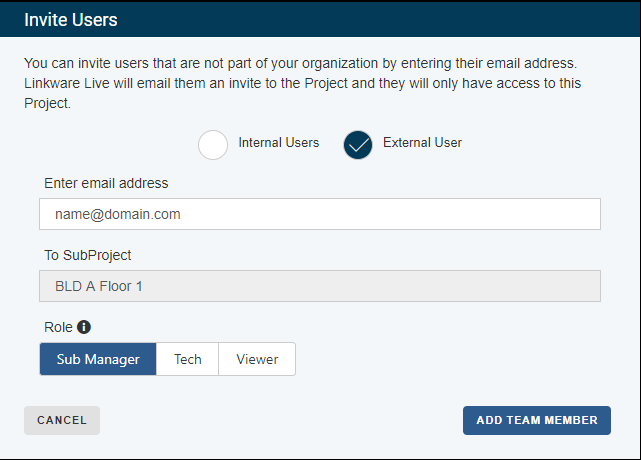
- Click the External User selection
- Type the email address of the user you wish to invite to the SubProject and choose the Role.
- Click Add Team Member
LinkWare Live sends an invitation to the person’s email address. The email includes a link that lets the person accept the invitation and add the subproject to their LinkWare Live account. If the person does not have a LinkWare Live account, the email includes a link they can use to create one. When they accept the invitation, you will receive an email.