
There are two types of Cable ID lists:
- Created within the OptiFiber Pro.
- Created in LinkWare PC and then IMPORTED into the OptiFiber Pro.
This article will describe how to delete a Cable ID list created within the OptiFiber Pro.
- Tap PROJECT followed by X next to the Cable ID list you wish to delete.
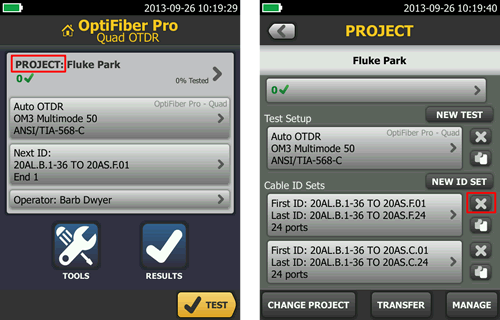
- Tap DELETE to confirm.
* Cable ID lists are stored in the Versiv (TFS) mainframe, not on the OptiFiber Pro module.