If the cable that you are testing uses a non-standard outlet configuration (AKA "wire map"), then you may need to create a custom setting in order for your test to pass.
In this example, we configure the test setup to test a Cat 6 cable with only two wire pairs:
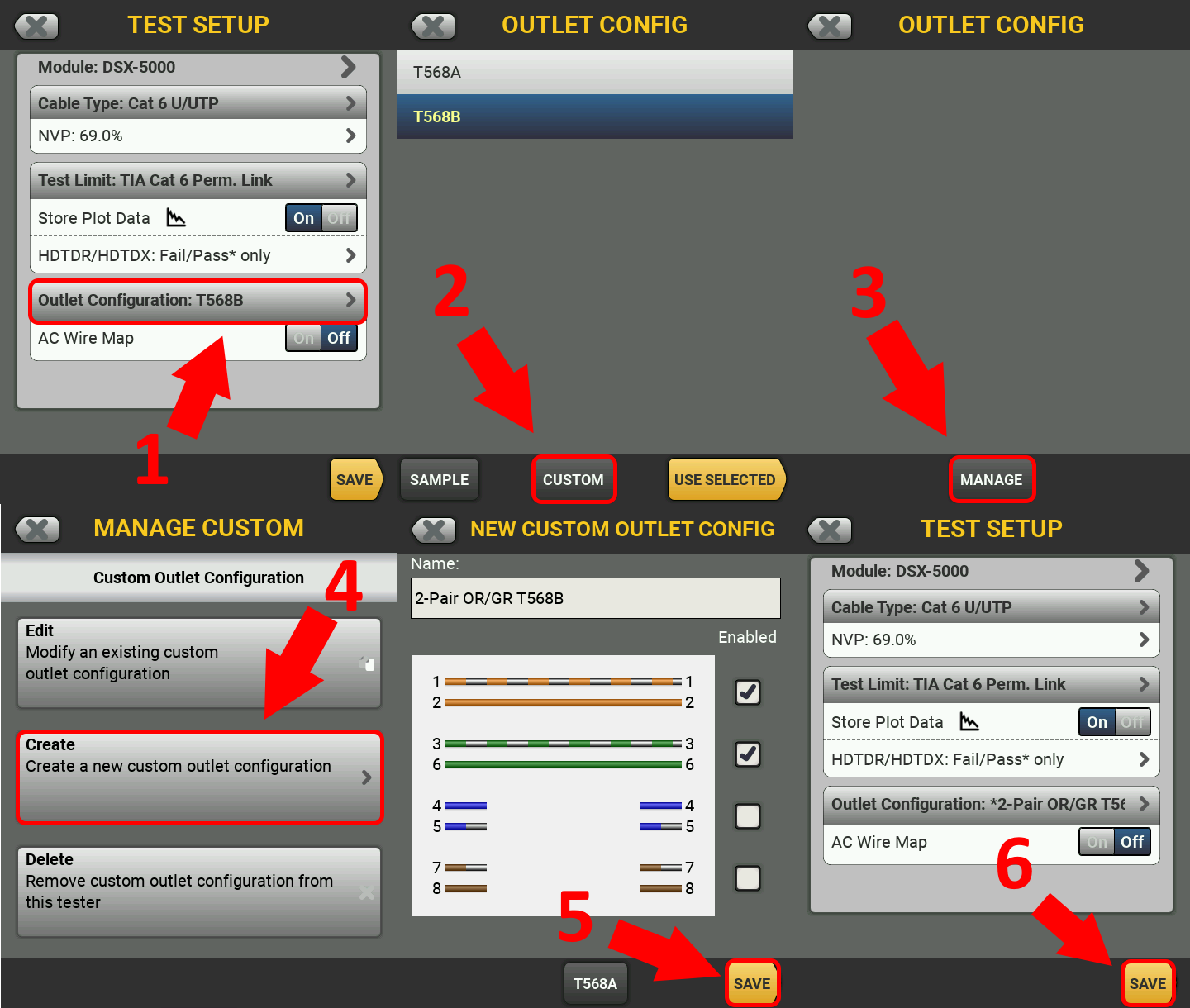
Keep in mind that you may see a different list of pre-defined outlet configuration options depending on which test limit you have selected, see this article for details: Outlet Configurations (Wire Map) - DSX CableAnalyzer
You may also want to consider creating a new custom cable type setting, see this article for details about that process: Creating a Custom Cable Type - DSX Cable Analyzer
To learn more about T568 wiring codes, see this article: Differences Between Wiring Codes T568A vs T568B