
This feature enables the user to update the following fields for all the subprojects at once under a project, using the "Bulk Edit" button provided in "SUBPROJECTS" tab.
- Customer or Contact Information
- Location
- Description
- Start Date
- End Date
Steps to Bulk Edit subprojects:
- Login to LinkWare Live.
- In a project that has more than one subprojects, "BULK EDIT” button is visible next to the “NEW SUBPROJECT” button.
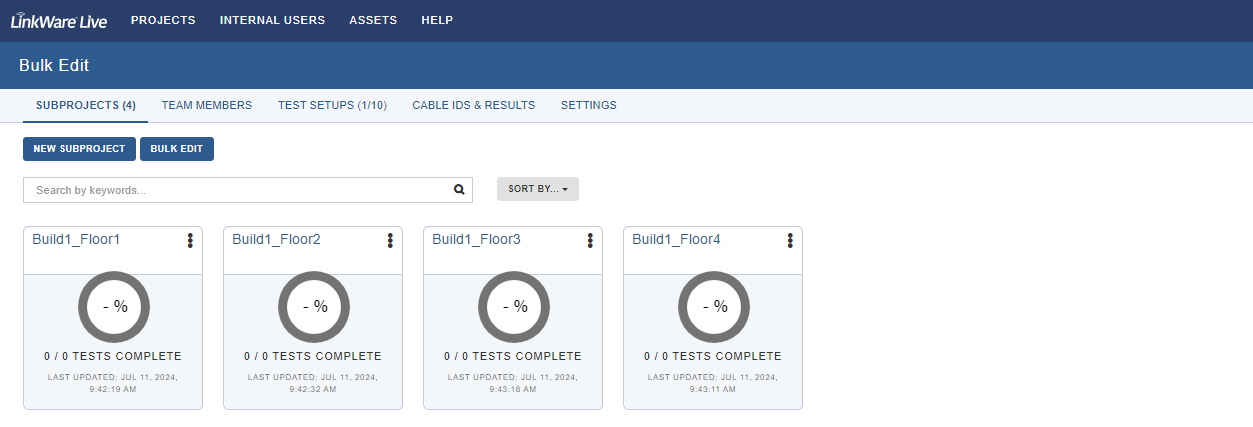
- Clicking on the “BULK EDIT” button will open up the modal to update the details.
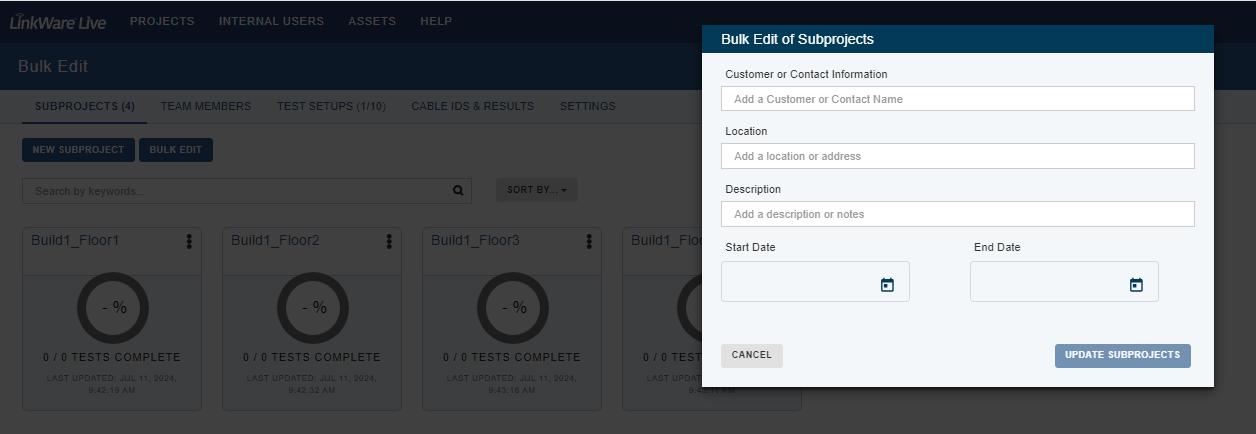
- Enter the details and click “UPDATE SUBPROJECTS” to update all the subprojects.
- Leaving any fields blank will not overwrite the existing details for that field.
Things to note:
- The Bulk Edit feature is available only for projects with more than one subproject.
- If there's no subprojects or only a single subproject then the Bulk Edit option will not be available.
- Users can update a single field for all subprojects.
- Any field that is left blank, will not be overwritten for the subprojects.
- Technicians will not have access to perform Bulk Edit.
- External users will not have access to perform Bulk Edit.