How to Activate Your Fluke Premium Care Coverage
You must activate your Fluke Premium Care plan before you can use it.
If You Purchased a Premium Care Plan Bundled with a Product
- Scan the QR code on the product box. It will automatically populate the form with the model name, serial number, and purchase date.
- Or go to https://my.fluke.com/en-US/register-product/ and enter the model name, serial number, and purchase date of your product.
- Then follow the prompts to activate your coverage.
If You Purchased a Premium Care Plan Separately
You (or the person you designated when you purchased the plan) will receive an activation email with your Fluke Premium Care ID number.
To activate your coverage, Have the model and serial numbers of the items covered by your order available, then click on the activation link in the middle of the email — you'll be taken to My.Fluke.com to start the activation process.
Step-by-Step Guide
Want details? Here is a step-by-step guide to activating your FPC plan:
Before the order placed with Fluke.
Provide the name and email address to your buyer or Fluke distributor. The person provided should be from the end user company and they should be aware of the models and serial numbers of the items to be covered by the plan.
- The person who requested the quotation for FPC, or
- The person who received the renewal expiration email (if a renewing FPC)
Fluke will send the person you provided the activation email.Fluke will send the person you provided the activation email.
Open the Activation email we sent when your order was processed by Fluke.
- If you are not familiar with the products, please forward the email to a person in your organization who knows the models and serial numbers to be covered. This is usually the person that requested FPC coverage.
- Click on the activation link in the middle of the email to open the My.Fluke.com activation window.
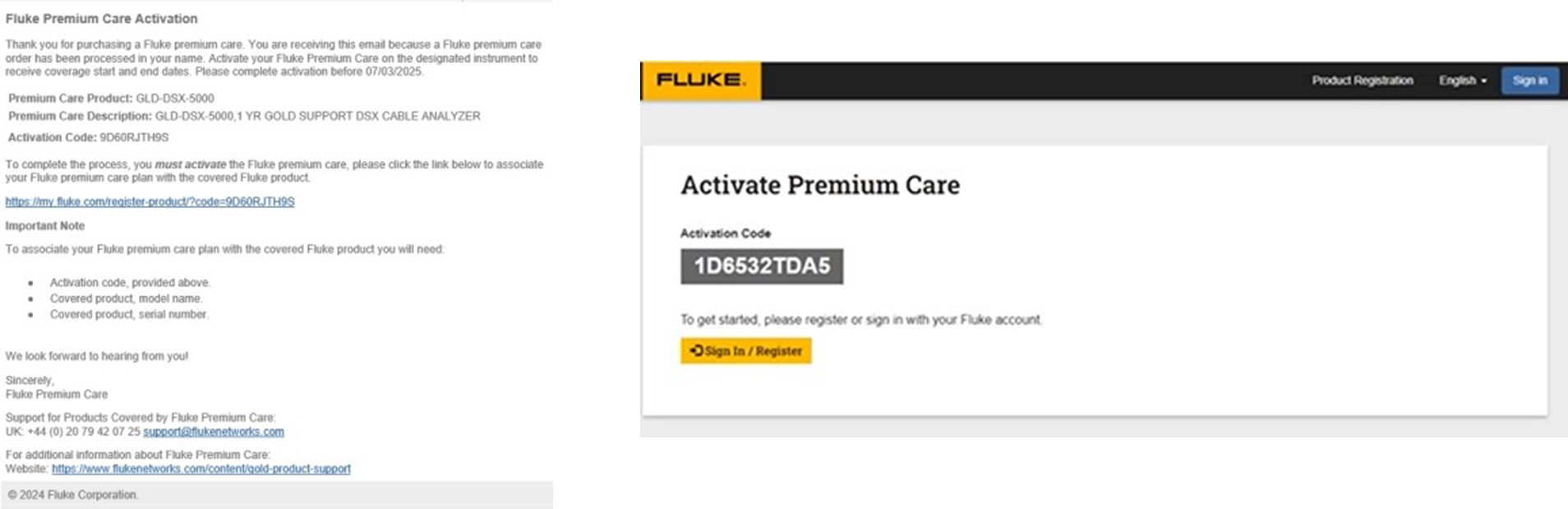
Sign-in or sign-up for activation.
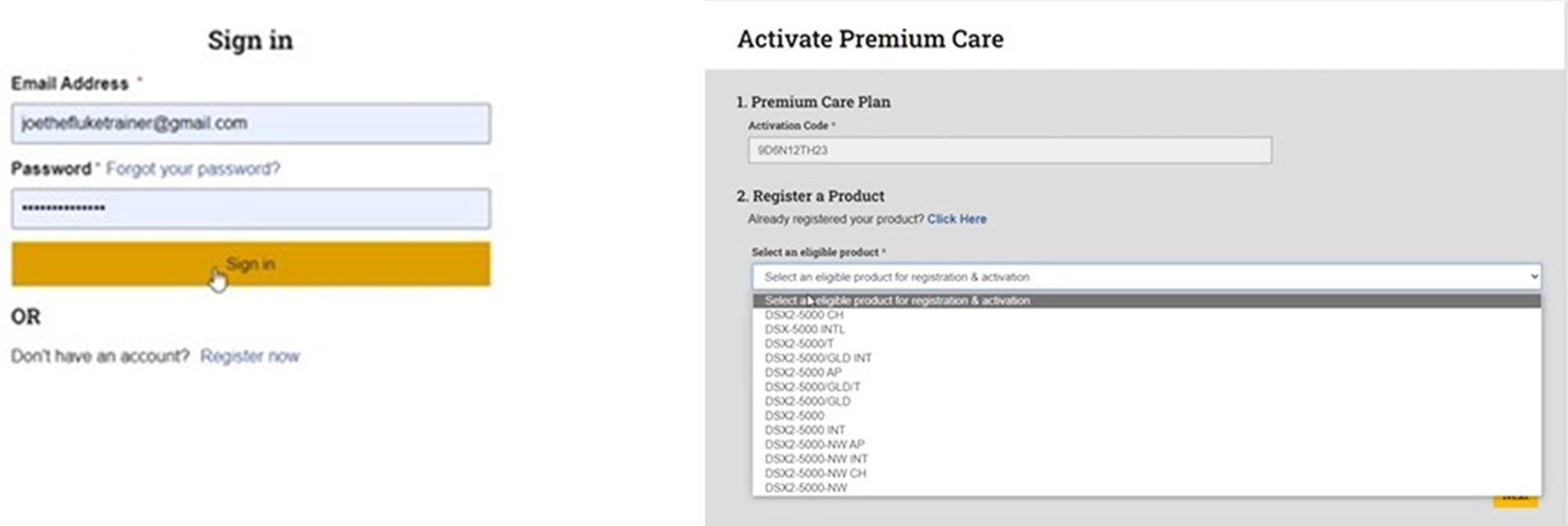
- If you have an account, select "Sign-In". If you don't have an account, click "register now".
- The Activate Premium Care screen will appear after you sign-in.
- Select an existing registered product or "I need to register a new product".
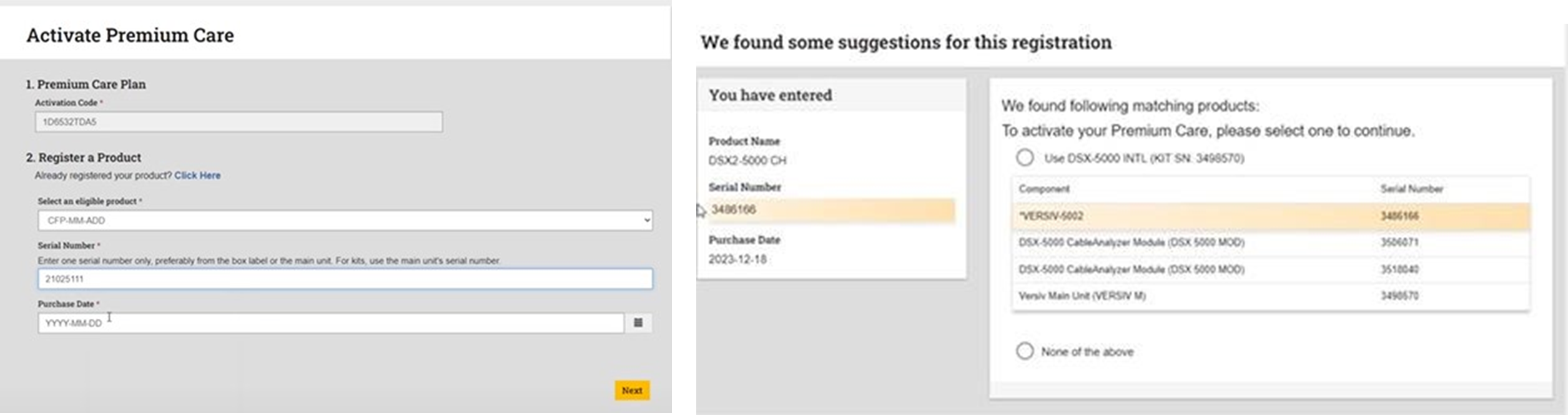
Adding a new product not already registered
- Select an eligible product from the drop-down list.
- Enter one valid serial number from your tester or module to be covered by FPC.
- Enter a purchase date. Click Next to see suggestions on the modules to be covered.
- Review suggestions. Activate the suggestion if correct, or click "none of the above".
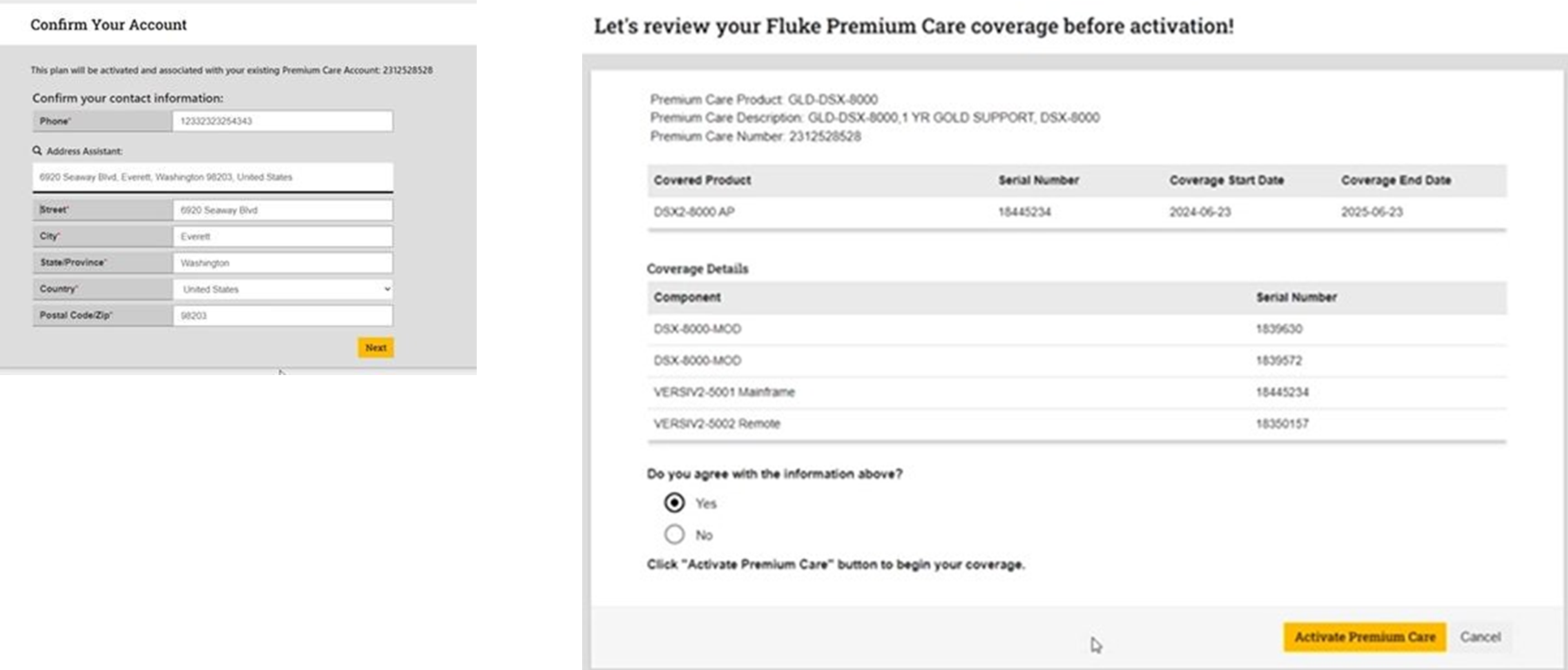
Confirm or update your address. Review the items for activation.
- Select "Yes" and Activate if the models and FPC serial numbers are correct.
- Select "No" or "None of the above" if this information is incorrect and contact Fluke for help.
- For Americas/Asia/Pacific premiumcare@fluke.com
- For Europe/Middle-East/Africa premiumcare-eu@fluke.com
Please include the models and serial numbers, and a screen capture in your email to Fluke.